
How JavaScript is Executed
Learn how your JavaScript code is parsed, compiled, and executed, step-by-step.

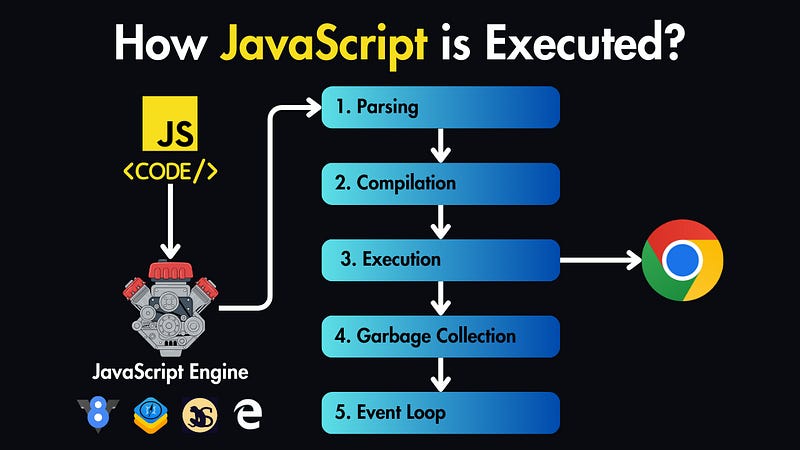
Let’s take a closer look at how JavaScript code gets executed.
JavaScript Engine
JavaScript was initially designed to run within web browsers. Each browser has a JavaScript engine (like V8 in Chrome, JavaScriptCore in Safari, SpiderMonkey in Mozilla, or Chakra in Microsoft Edge)
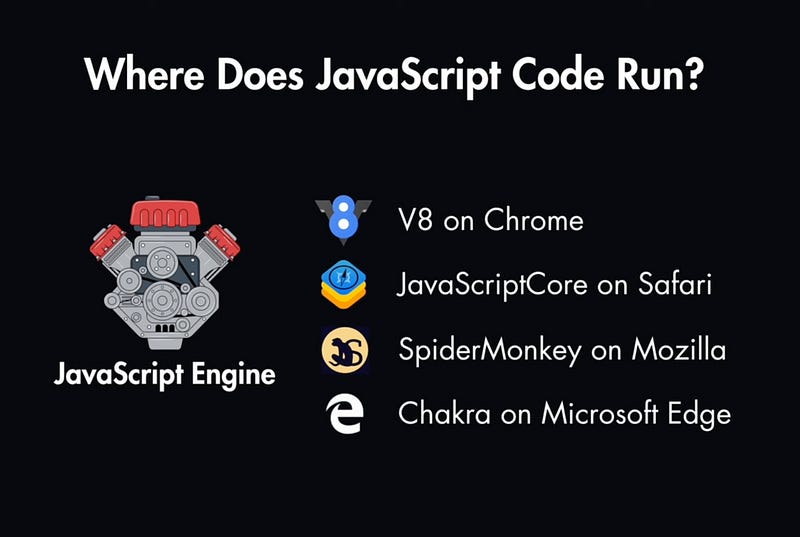
This is software that lives within your web browser, and it’s responsible for executing our code.
The Execution Journey
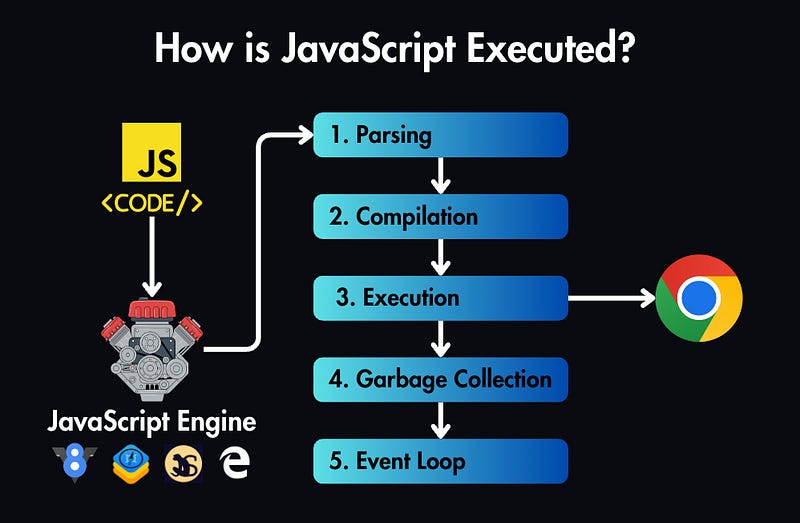
Parsing: First, the engine breaks down the code into tokens. Tokens are small units like keywords, operators, literals, and identifiers. Then, it parses the tokens to create an Abstract Syntax Tree (AST), which represents the grammatical structure of the code.
Compilation: Modern JavaScript engines like V8 (used in Chrome and Node.js) use a technique called Just-In-Time (JIT) compilation. This involves compiling JavaScript code into machine code at runtime.
Execution: This is when we see the effects of our code in the browser. Initially, the engine interprets the JavaScript code directly from the AST, converting it into bytecode, which is then executed by the JavaScript Virtual Machine (JVM). The JIT compiler profiles the running code to identify “hot” code paths that are executed frequently. These paths are recompiled into highly optimized machine code for faster execution.
Garbage Collection: The engine performs memory management through garbage collection. It periodically scans for and cleans up unused or unreachable memory to free up resources.
Event Loop: Since JavaScript is single-threaded, it uses the event loop to manage the execution of asynchronous code. It continuously checks the call stack, and the message queue processes events and executes callback functions when the call stack is empty.
JavaScript in the Browser (Dev Mode)
When you write and test your code during development, you’ll typically use tools like the Live Server extension in VS Code. We call this a development mode, meaning that we run it on our own computer, and our files are not yet optimized for the production server.
Here’s the process:
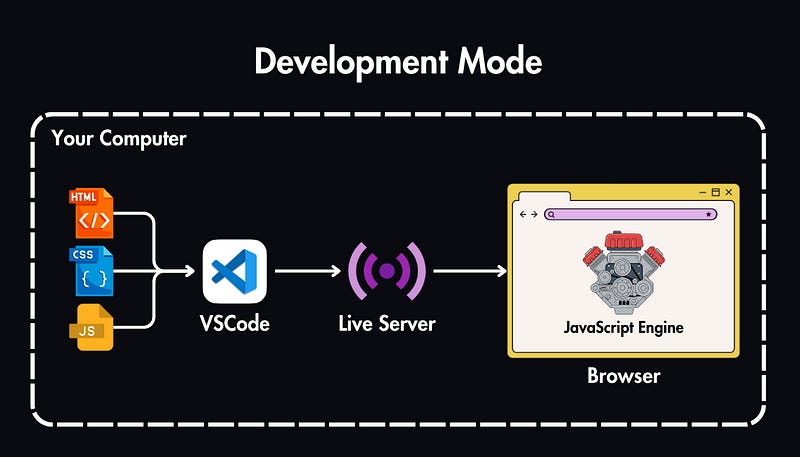
Your Code in IDE: You write your JavaScript in your code editor (VS Code).
Live Server: You launch the Live Server extension, which starts a local server on your computer.
Browser Fetches: Your browser opens the HTML file, and then it fetches the associated CSS and JavaScript files from your local server.
JavaScript Engine: The browser’s JavaScript engine reads your JavaScript code, understands it, and executes it, bringing interactivity to your web page.
JavaScript in Production (Deployed to a Server)
When your web application is ready to go live, you’ll optimize the HTML, CSS, and JavaScript files, and you’ll deploy it to a web server.
In this case:
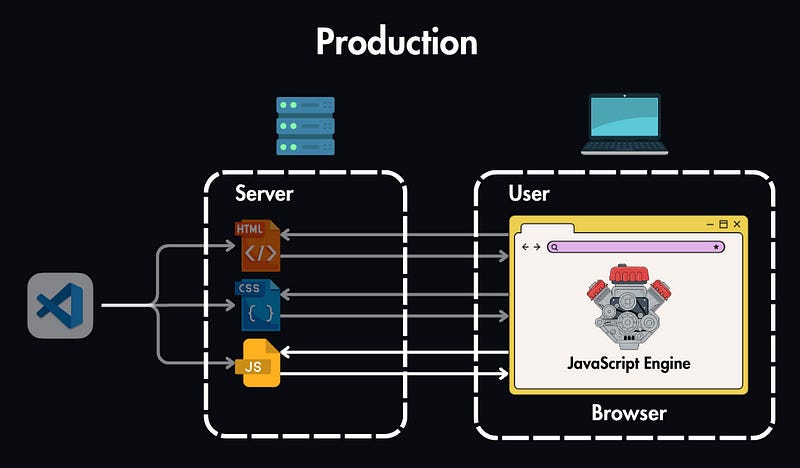
Your Code on a Server: Your HTML, CSS, and JavaScript files are uploaded to a web server (could be your own server or a hosting provider’s server).
Browser Fetches: When someone visits your website, their browser sends a request to the server.
Server Responds: The server sends back the HTML, CSS, and JavaScript files to the user’s browser.
JavaScript Engine: Just like in development, the browser’s JavaScript engine then reads and executes your code, creating an interactive experience for the user.
What Can You Build with JavaScript?
While JavaScript was initially designed for the browser, its reach has extended far beyond the web.
In 2009, Ryan Dahl introduced Node.js, which revolutionized JavaScript’s capabilities. Node.js takes the V8 engine from Chrome and embeds it within a C++ program, allowing you to run JavaScript on servers, your desktop, or any environment outside the browser.
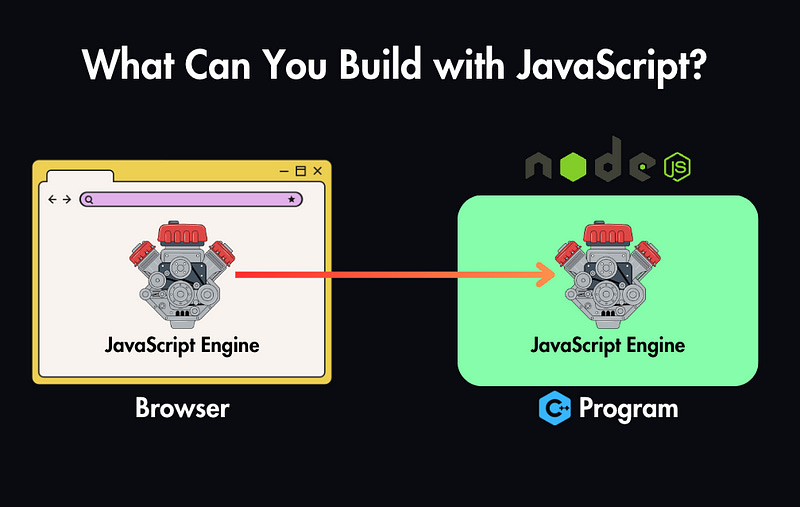
This made JavaScript way more popular in other areas of development other than in browsers.
Here’s a glimpse of what you can build with it:
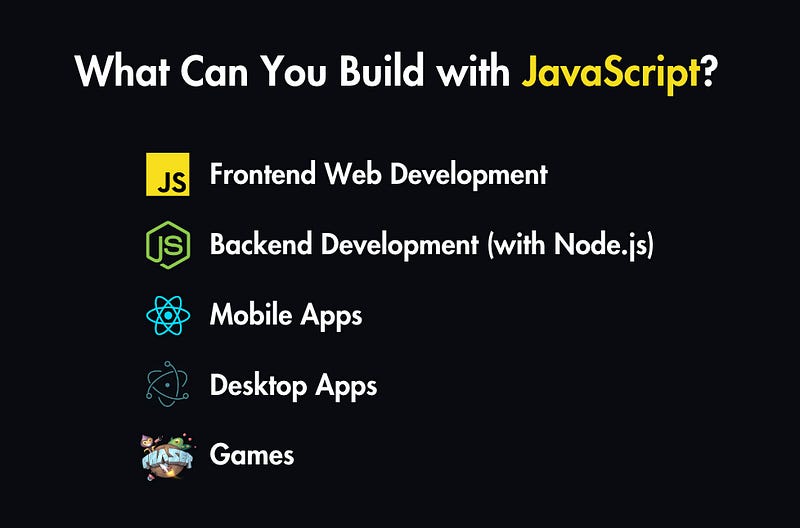
Front-End Web Development: Create interactive user interfaces, handle form submissions, build single-page applications (SPAs), and design engaging animations.
Back-End Development (with Node.js): Build server-side applications, APIs, real-time applications (like chat apps), and command-line tools.
Mobile Apps: Frameworks like React Native allow you to use JavaScript to create cross-platform mobile apps for iOS and Android.
Desktop Apps: Tools like Electron enable you to build desktop applications using web technologies (HTML, CSS, and JavaScript).
Games: Even simple browser-based games can be built with JavaScript, and frameworks like Phaser offer more advanced capabilities.